Prepare for image blocking.
Some email clients don't show images by default. Make the main CTA a live button in your email builder (not just in the banner). And include alt text that describes the banner.
Sivi AI email banner maker creates on-brand email headers, hero images and newsletter banners in email-safe sizes from a prompt or campaign brief. All designs have editable layers. Export as a retina-ready image for any email platform.
4.8/5176K+ brandsEmail-safe sizes72+ languagesFree plan

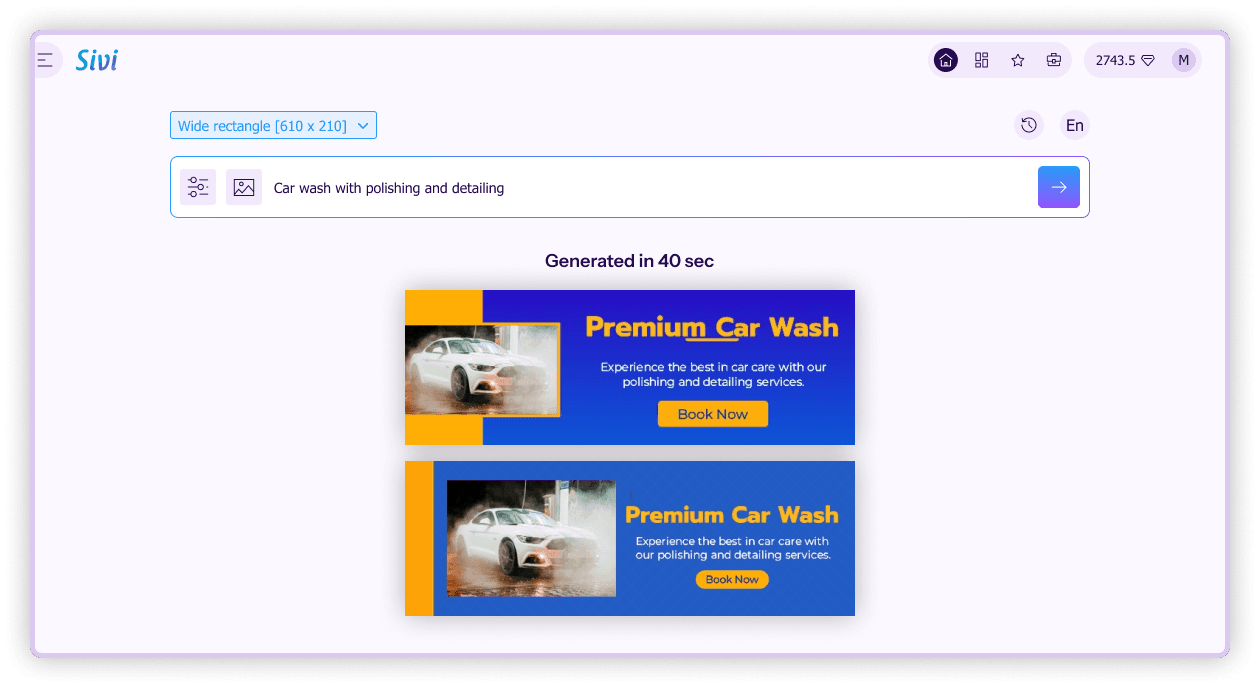
An email banner is an email image. It's the top header in your email. Or it's a hero image that showcases your main offer. Or it's a section banner that separates parts of your newsletter. It needs to render at ~600 px wide. Load quickly. And still be readable if images are disabled.
| Banner | Width × height (px) | Export at 2x for retina |
|---|---|---|
| Email header | 600×200 | 1200×400 |
| Hero image | 600×300 to 600×400 | 1200×600 to 1200×800 |
| Newsletter section banner | 600×150 | 1200×300 |
| Signature banner | 600×100 or less | 1200×200 |
Most email templates are 600-640 px wide. Export at 2x display width for high-res screens. Then set display width to 600 px in your email builder.
Some email clients don't show images by default. Make the main CTA a live button in your email builder (not just in the banner). And include alt text that describes the banner.
Export as JPG (for image-heavy banners) and PNG (for flat graphics). Under 200 KB per image.
Most people open emails on mobile. 600 px banner is ~350 px on mobile. Short headlines in large type work.
Your hero should provide what the subject line promised.
Sivi creates a layout for your message and size. No more templates that make all your emails look the same.
Colors, fonts and logo for every welcome, promo, newsletter and seasonal email.
Sivi drafts headline options. And can create supporting images. Or use your own photos.
Create 1 to 4 layouts per prompt. A/B test subject lines or creatives.
Create the same banner in 72+ languages for regional lists. With editable text for local teams.

Create headers that grab attention and establish brand identity. Make a strong first impression in every email.
Generate Email Headers »Generate newsletter banners that highlight key information and increase engagement across content sections.
Generate Email Newsletter »Create professional signature banners that boost brand recall and turn every email into a marketing opportunity.
Generate Email Signature »Your main visual that showcases your offer. For 600 px templates.
Create email hero image »Browse the gallery of email banner examples created with Sivi to get inspiration for your next email campaign.
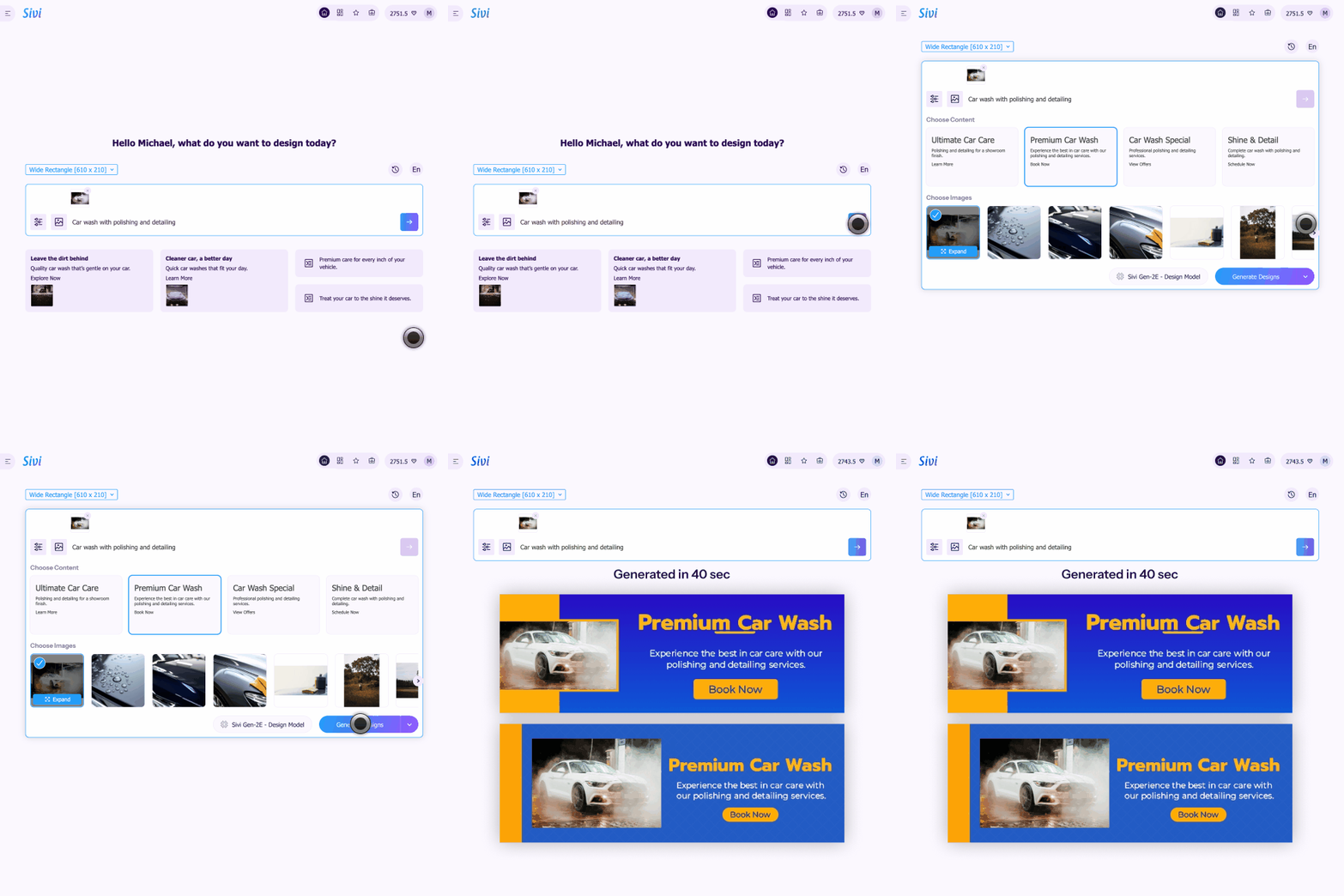
Select banner type and size. Or input a custom size.
Describe your email (offer, audience, CTA).
Upload your logo and images. Or use your brand kit.
Check out draft copy and images from Sivi.
Generate. Edit any layer. Export as PNG or JPG (2x).
Upload to your email platform. Add alt text.
Store each client's brand kit. Create email headers, heroes and section banners for every email. Check out Sivi for agencies.
I like how the prompt wizard is created. Generate process is cool. I like the approach when you actually see what is going on, instead of looking at some spinner for X minutes and be not sure if it is still processing or it is freezing. Simple and easy to use Edit mode. This is really cool product.
Sivi.ai is an impressive tool that can significantly speed up your design workflow. Its ability to generate visuals in a variety of dimensions and the option to edit the designs make it a versatile option for anyone in need of appealing designs.
Really great tool, game-changer that disrupts a huge market and everything connected with design and content creation.
I am an early beta user of Sivi and I love its present and future. I love the deep thought the team has put in it to understand the design process and making it business owner savvy. This is transformational for our GTM to help us quickly have multiple options in design for our messaging.
As per the tool - I’ve been looking for a long time when there will be an AI tool to generate design from text with a user-friendly interface. And it seems like this is the one!
Loved the idea of providing a prompt template to help new users get the most out of their first tries! I was surprised by how complete this product is, being able to edit the content and the visuals separately is a really good idea.