15 best free AI tools for ad creatives in 2026, tested
NithinCreated on: Updated on:
Free AI tools for ad creatives that boost ROAS in 2026
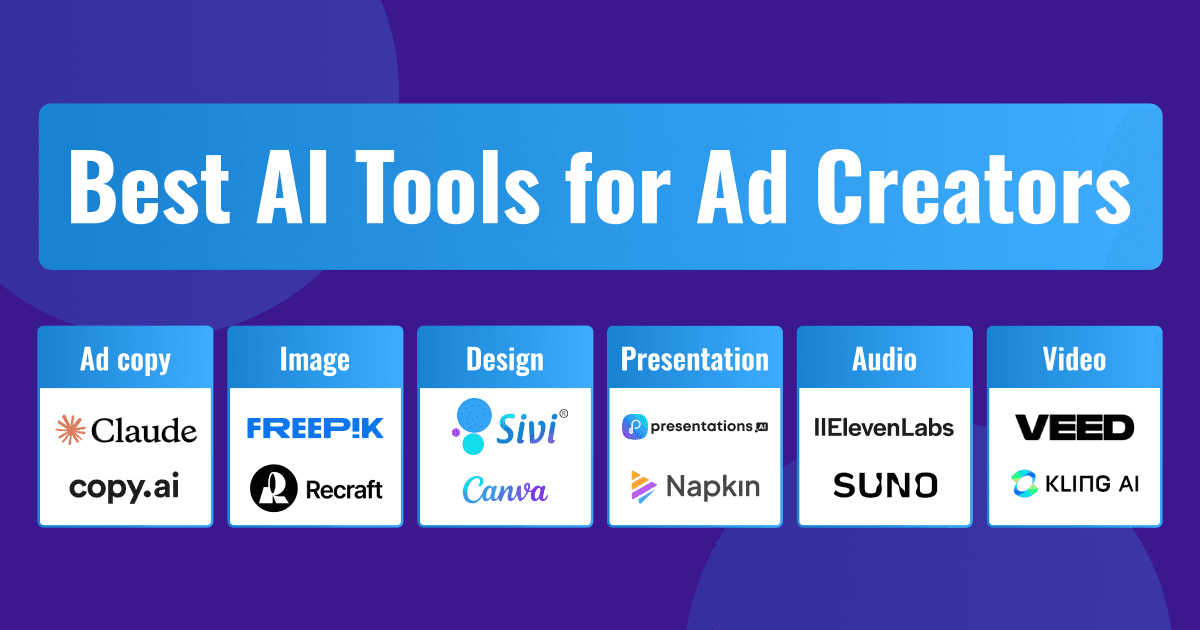
Quick answer: The best free AI tools for ad creatives in 2026 depend on the job. Use Claude or ChatGPT for ad copy, Recraft or Gemini (Nano Banana) for images, and Sivi for the ad banners themselves: it generates editable layered designs in your brand colors and fonts, in any ad dimension, in 72+ languages, without templates. For video, start with Veed and Kling. All tools below have a genuine free tier, with limits listed.
| Tool | Best for | Free tier |
|---|---|---|
| Claude | Ad copy | Free plan, daily message limit |
| Copy AI | Team copy workflows | Free plan - 1 user seat and 2,000 words/month (text output only) |
| Recraft | Vector and raster brand assets | Free plan - 30 daily credits, limited daily creations, basic editing tools |
| Gemini (Nano Banana) | Quick image generation and edits | ~20 images/day in the app |
| ChatGPT | Copy plus images in one chat | 2 to 3 images/day via DALL-E |
| Freepik | Stock plus AI generation and editing | Free plan - 3 to 10 daily download/generation credits. |
| Sivi | Ad banners and display ads | Free plan - 12 AI credits per month |
| Canva | Template-based social posts | Free plan with access to basic templates |
| Reply IO | Outreach emails | Freemium - 14-day free trial |
| Presentations AI | Campaign decks | Free plan - 100 credits, Up to 20 slides |
| Napkin AI | Text-to-diagrams & infographics | Free plan - 500 AI credits per week |
| ElevenLabs | Voiceovers | Free plan - 10k credits per month, ~10 to 40 minutes of audio |
| Suno | Jingles and music | Free plan - 50 credits per day (approx. 10 songs), renewed daily |
| Veed | Video editing, subtitles | Free plan with a watermark, 720p export limit, and max 10 mins of video |
| Kling | Image animation, try-ons | Free plan - 66 daily credits that expire after 24 hours |
Who doesn’t love getting a complete set of custom ad creatives for a global campaign in minutes? Especially when you are expected to maximize ROI for every dollar, ASAP.
Generative AI is turning this dream into reality by making it possible to create a ton of AI advertisement creatives in a fraction of the time and effort.
But here’s the kicker: As AI-generated ads flood the market, many feel generic, repetitive, and, at best, less engaging. In fact, NIQ’s recent research found that most AI-generated ads are perceived as annoying, boring, or confusing by consumers. While AI can streamline ad creation and reduce costs, poorly executed AI creatives can harm the brand image.
Finding the right AI ad tools and processes can help advertisers enhance creative workflow, from ideation to optimization, and boost ROAS.
What is an AI ad tool?
An AI ad tool is software that uses artificial intelligence (AI) to create, manage, and optimize various aspects of advertising. Unlike traditional software that simply follows preset rules, the AI tools learn, adapt, and evolve with every campaign they touch.
AI ad tools analyze vast amounts of data, including content, consumer behavior, and engagement metrics, to help businesses with creatives and insights when prompted. They save time and reduce costs by supporting marketers to improve their efficiency, allowing them to focus on strategy and creativity.
How to get started?
AI tools can’t read your mind, yet. While the generative AI tools for ads are constantly improving, providing detailed prompts helps them understand your requirements and generate the best content for your campaign.
Think of it as having a conversation with a brilliant but highly literal creative partner. The more context and direction you provide, the better the results will be. Here's what makes a prompt truly effective:
- Objective (What's the desired outcome?)
- Target audience (Who are you speaking to?)
- Brand voice and tone (How should it sound?)
- Key messaging points (What should you communicate?)
- Format requirements (Where will this appear?)
- Call-to-action preferences (What should readers do next?)
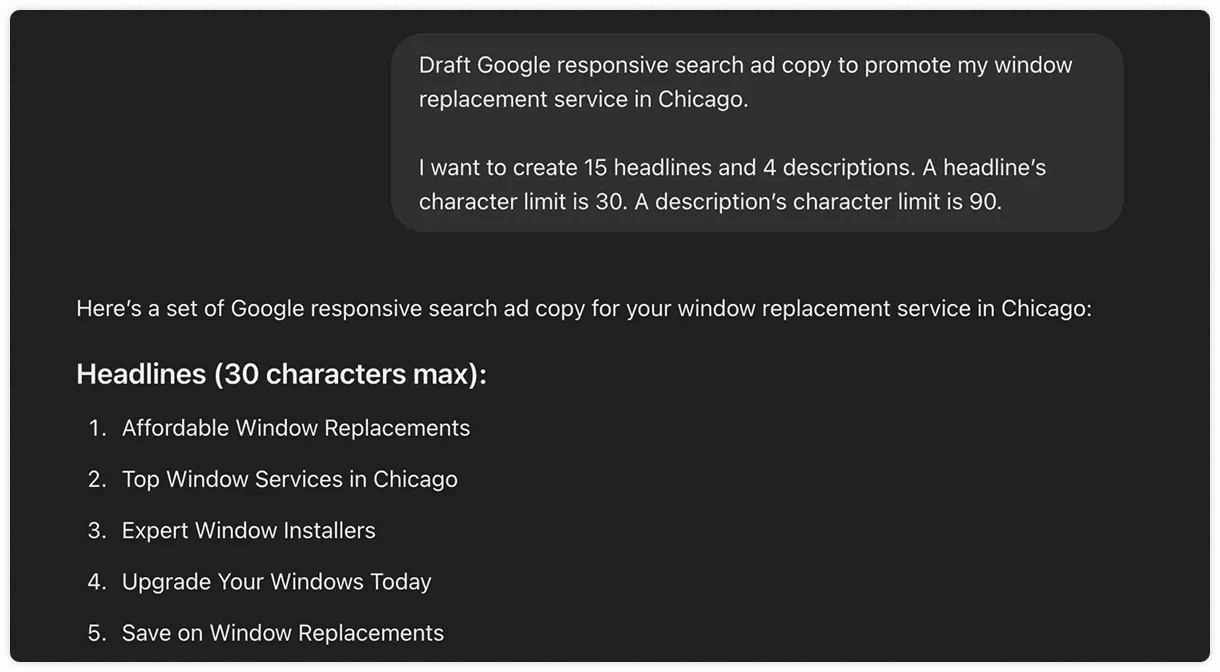
Basic prompt given to ChatGPT for ad copy
Here are the top free generative AI tools for ad creatives and how you can leverage them for ad campaigns.
AI ad copy generators
Crafting ad copy is a mix of creativity, strategy, and data-driven insights. Coming up with such compelling ad copy can be exhausting. That’s where AI ad copy tools like the ones below can help.
Claude
Claude is an AI assistant similar to ChatGPT. Even with minimum instructions, Claude can understand the requirements of search ads and draft ad copy with a mix of sentence structures. You can observe several layers of understanding at work, including advertising principles and search engine requirements, while crafting effective copy without extensive prompts.
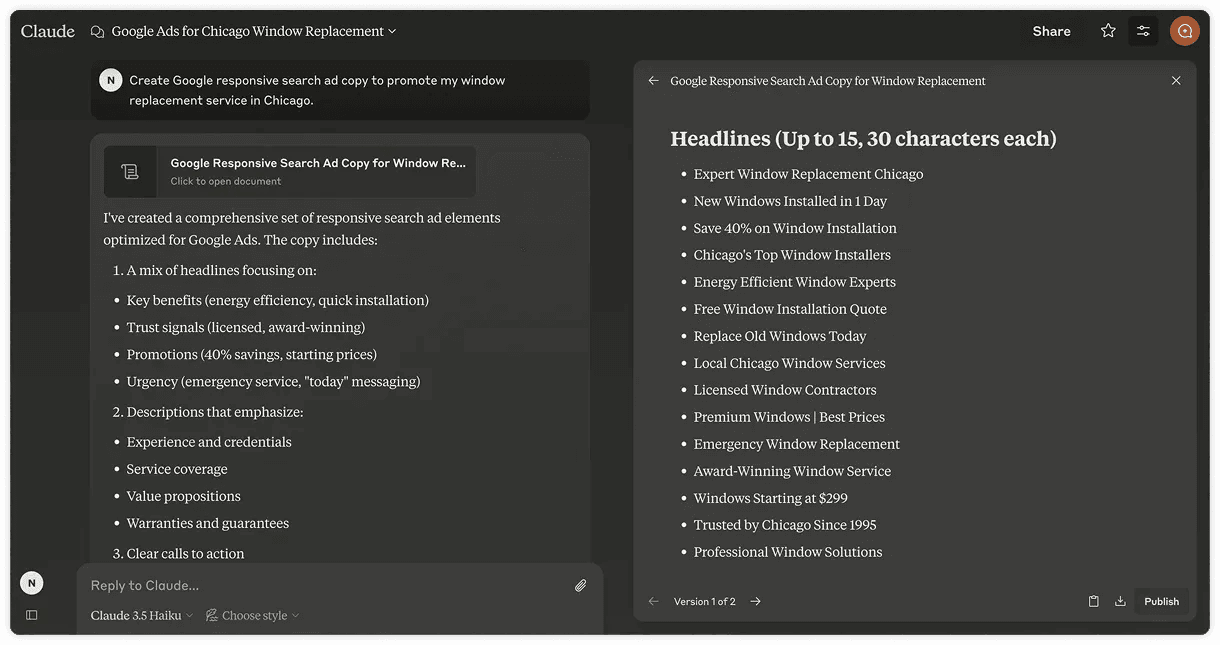
Ad copy generation with Claude
Copy AI
Copy AI offers a wide range of pre-built prompt templates for various use cases, making it easy to get started. You can chat with AI to generate copy that matches your unique style and needs, saving time while ensuring you’re heading in the right direction. It’s a great way to speed up the copy creation process without starting from scratch.
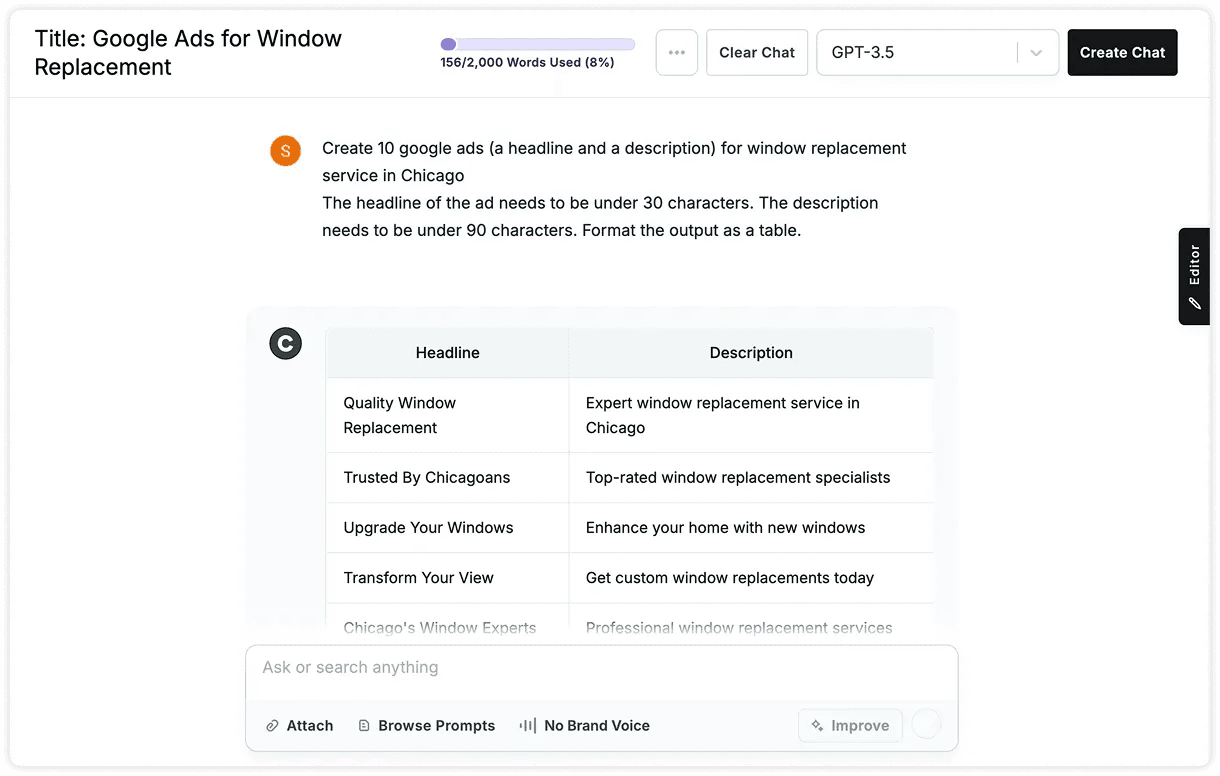
Ad copy generation in Copy AI
LLMs like Claude, ChatGPT, and Gemini can help you get started with ad copy ideas. But when it comes to team collaboration and control over the copy, AI tools like Copy AI and Narrato are more effective.
AI image generators
The combination of compelling images and strong copy creates ads that resonate with consumers. Images grab attention, simplify messages, and build an emotional connection. However, creating such custom images from scratch takes a lot of time and effort, and stock images might not exactly fit the needs.
AI image generators and editors enable advertisers to produce custom images that align with their messaging and target audience in a fraction of the time compared to traditional methods. Let’s explore how AI image tools are transforming ad creation.
Recraft
Recraft sets itself apart from other tools by offering a comprehensive suite for both raster and vector image generation in multiple styles.
For raster images, it can generate photos and illustrations in various styles, including photorealism, enterprise, hand-drawn, and pencil sketch. On the vector side, it supports vector art and icon generation in styles like line art, mosaic, outline, and doodle.
Recraft also offers additional features such as image set creation and mockup generation. This helps in generating customized assets such as icons, illustrations, and characters according to brand guidelines for ad creatives.
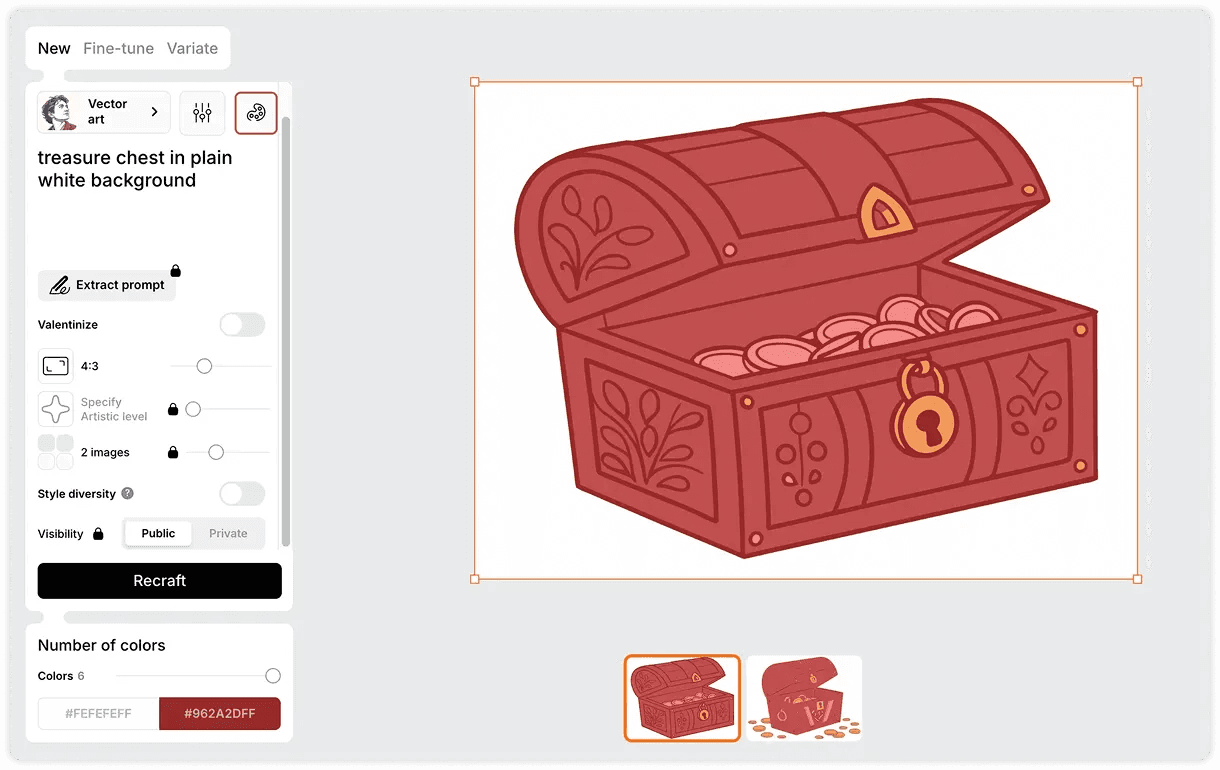
Vector generation in Recraft
Gemini (Nano Banana)
Google's Nano Banana models inside the Gemini app have become the default quick image generator for many marketers. The strength is enhancing as much as generation: upload a product shot and change the background, lighting, or composition with a sentence. Character and product consistency across generations is the standout for ad work, since you can keep the same product looking identical across a campaign's variations.
The free Gemini app tier currently allows around 20 images per day on the standard model, with the Pro model limited to a couple of generations daily. Limits fluctuate, so check the in-app notice.
Best for: fast product shot edits and campaign image variations. Limitation: outputs are flat images, so any text or layout changes mean regenerating rather than editing.
ChatGPT image generation
ChatGPT now generates images in the same chat where you write your ad copy, which makes it the convenient option: draft the headline, then visualize it without switching tools. Text rendering inside images has improved enough for rough ad mockups.
The free plan allows 2 to 3 images per day, which is fine for exploration but not production. Like all chat-based generators, the output is a single flat image: good for concepts, not for finished ads you need to edit, resize, or localize.
Freepik
In addition to its vast library of graphics, Freepik offers AI tools for generating and editing images. It includes generating images in a variety of styles, including illustrations, 3D, and photography, with effects such as soft hue, vibrant, and dramatic.
Freepik allows users to easily edit their images with features like color adjustments, retouching, expanding, and upscaling, all within a single platform. This combination makes it a good resource for anyone looking to create and refine custom visuals.
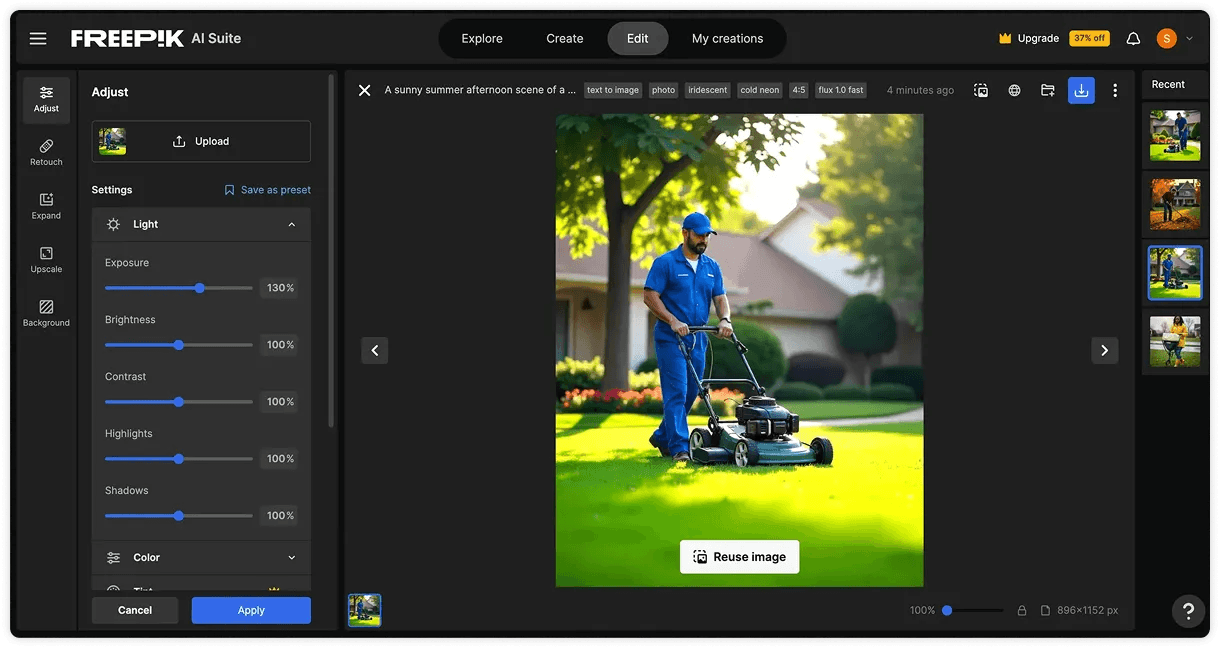
Image generation and editing in Freepik
AI ad generators
Now that you’ve explored AI tools for ad copy and images, let’s move on to banner ads. For years, Adobe's suite of tools dominated this space. With the rise of template tools like Canva, creating designs became accessible for small-scale businesses and marketers. But finding the right template and stretching the content to fit the template required design expertise and a lot of time. AI design tools are changing the landscape, enabling you to create custom banner ads effortlessly.
Sivi
Unlike template-based design tools with AI features, Sivi is built with generative AI at its core to generate template-free, unique designs instantly. With Sivi’s Large Design Model (LDM), you can create stunning AI ad creatives, including Google display ads, social ads, and more, in 72+ languages.
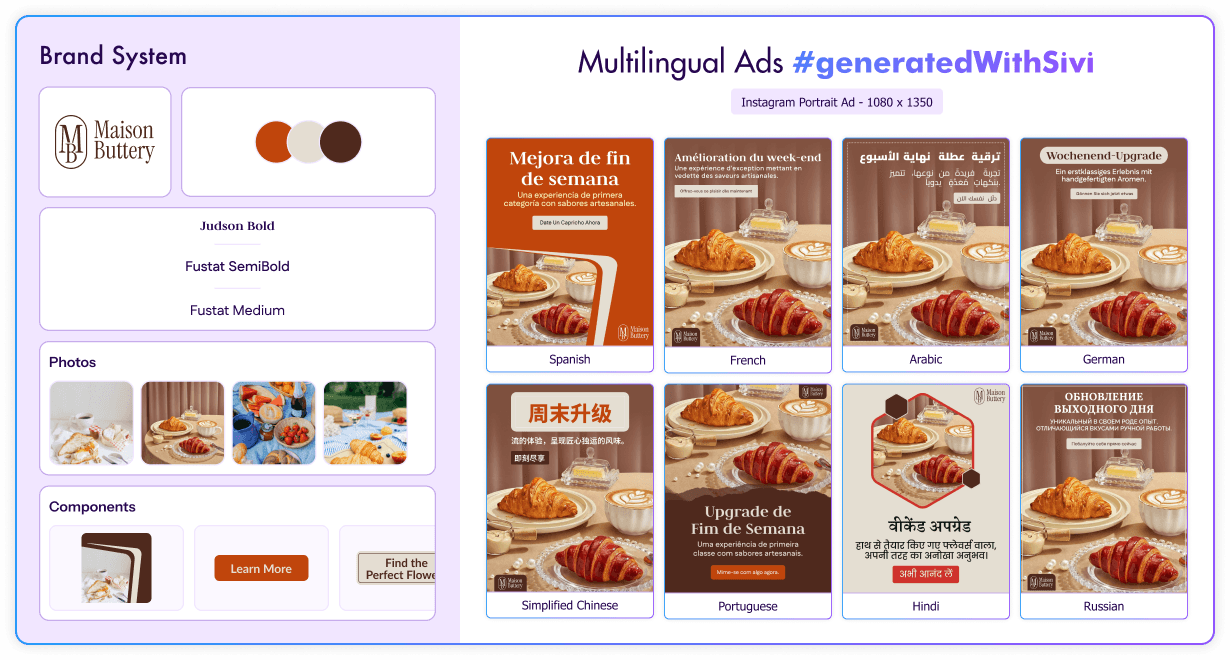
Brand-compliant, multilingual ads with Sivi AI ad generator
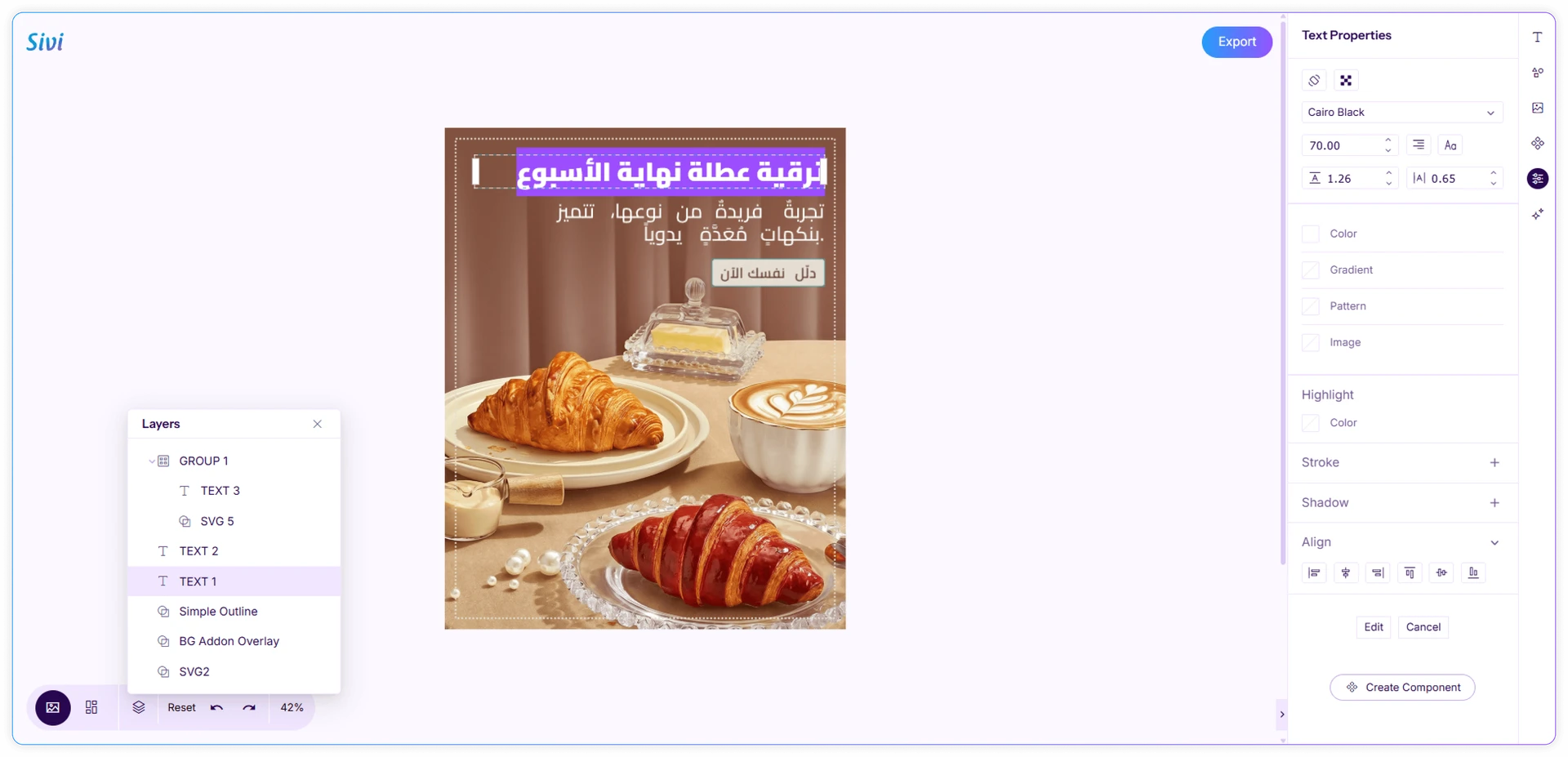
Editing the ad generated with Sivi
AI ad creative powerhouse: Enter a short prompt with display ad details, and Sivi will instantly generate ad copy, images, and unique banners in a minute or two.
On-brand banners, every time: Add your brand colors, fonts, and logos, along with preferences like button style, and the AI ad generator will consistently generate branded ads.
Full creative control: You can also add your own ad copy and generate custom, template-free designs. You can further edit the generated designs to perfectly match your vision.
Image generators give you a flat picture. Sivi generates the ad itself with copy, imagery, and layout. All these as editable layers, in your brand colors and fonts, and in the exact dimensions Google and Meta require.
Canva
Canva Magic Design is a template-based AI design tool that fills the standard design templates with content generated through an API. It provides multiple design templates within minutes, but they often fall short of being truly useful.
It offers designs in multiple dimensions but fails to provide even a single option in the requested ad dimensions. The AI generates content based on a few keywords from the prompt without fully considering the key aspects of user requirements, such as dimensions, colors, specific ad copy details, etc. While the designs may look polished, they don’t align with the brand’s creative needs.
Prompt: Half page ad on sustainable fashion at 40% off with 'Shop Now' button and color #FF592F
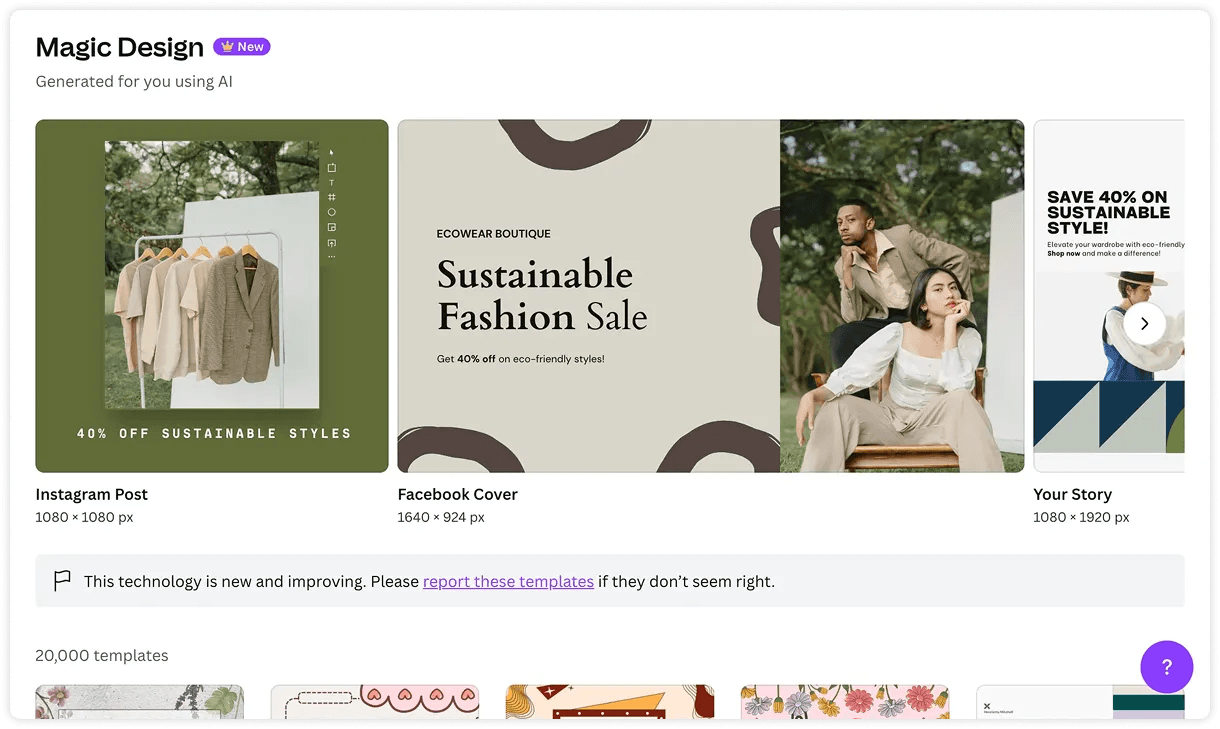
Ad template with Canva
Template-based design tools like Canva and wrappers like Adcreative AI, Designs AI, and Predis lack flexibility, particularly when it comes to custom dimensions and control over content. This results in generic designs that don’t align with your brand requirements. In contrast, Sivi’s template-free AI ad generator enables you to create custom ad designs and scale campaigns effortlessly.
AI email tools
Reply IO
While most AI ad copy tools focus purely on generating marketing text, Reply IO goes a step further by combining AI-powered email writing with outreach automation. It helps teams create personalized email sequences and manage multichannel campaigns across email and LinkedIn.
In addition to content generation, Reply IO supports prospecting workflows, allowing teams to find someone by email for free and turn ad-generated interest into real conversations. With features like automated follow-ups and AI SDR capabilities, it helps scale outreach efficiently while keeping communication relevant and personalized.
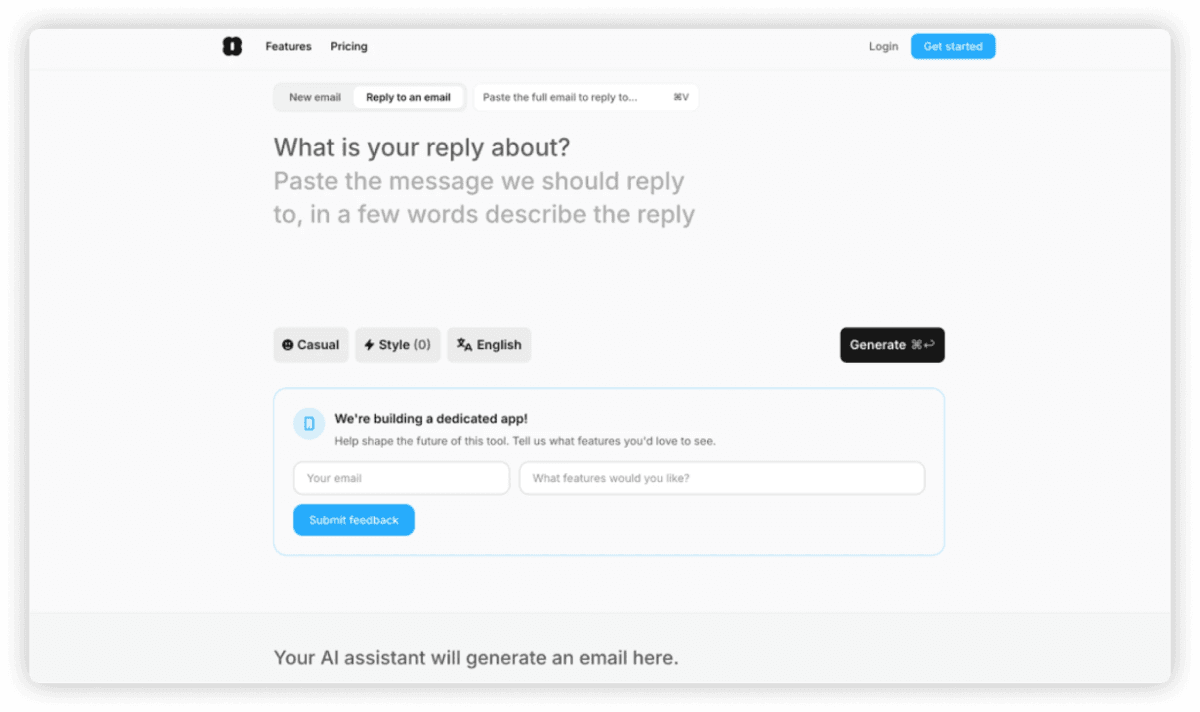
Ad copy generation in Reply IO
AI presentation tools
Ad agencies often use presentations for strategy discussions, campaign proposals, and internal meetings. However, creating a standout presentation can take hours of designing, editing, and perfecting slides, sometimes longer than creating the ad itself. AI tools can streamline this process by generating ideas, outlines, visuals, and content drafts, significantly reducing the time spent on slides.
Presentations AI
Presentations AI instantly generates a complete slide deck from a simple prompt. While it doesn’t focus much on AI images, it works well in detailed content generation, timeline, and other content-driven slides.
With generative AI and customization features, you can quickly create structured, visually appealing presentations that align with your message and brand.
Prompt: Create a presentation for a digital ad campaign, covering campaign overview, audience insights, media mix, content strategy, budget allocation, timeline, KPIs, and next steps for pet food company
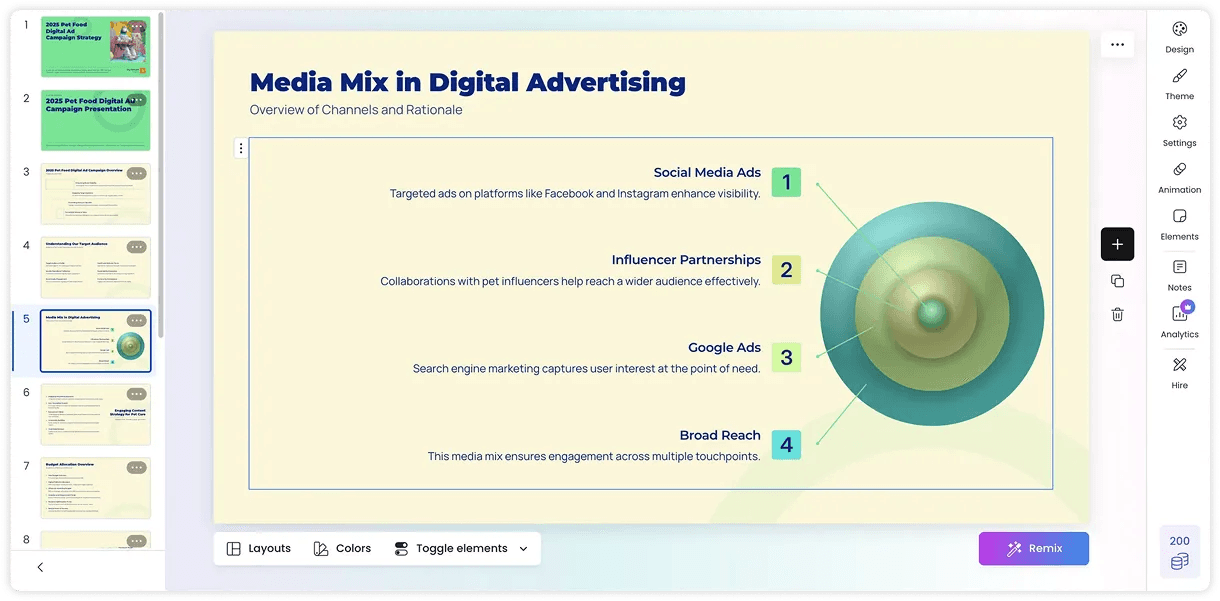
Presentation generation in Presentations AI
Napkin AI
If you're someone who loves creating presentations but needs a little help with visuals, Napkin AI is the perfect tool. It specializes in providing infographic-style visuals that bring your text to life.
With just a simple text prompt, you’ll get content and visuals in multiple styles, saving you time and effort. If you’re looking for a way to elevate your slides with clean, impactful visuals, Napkin is definitely worth exploring.
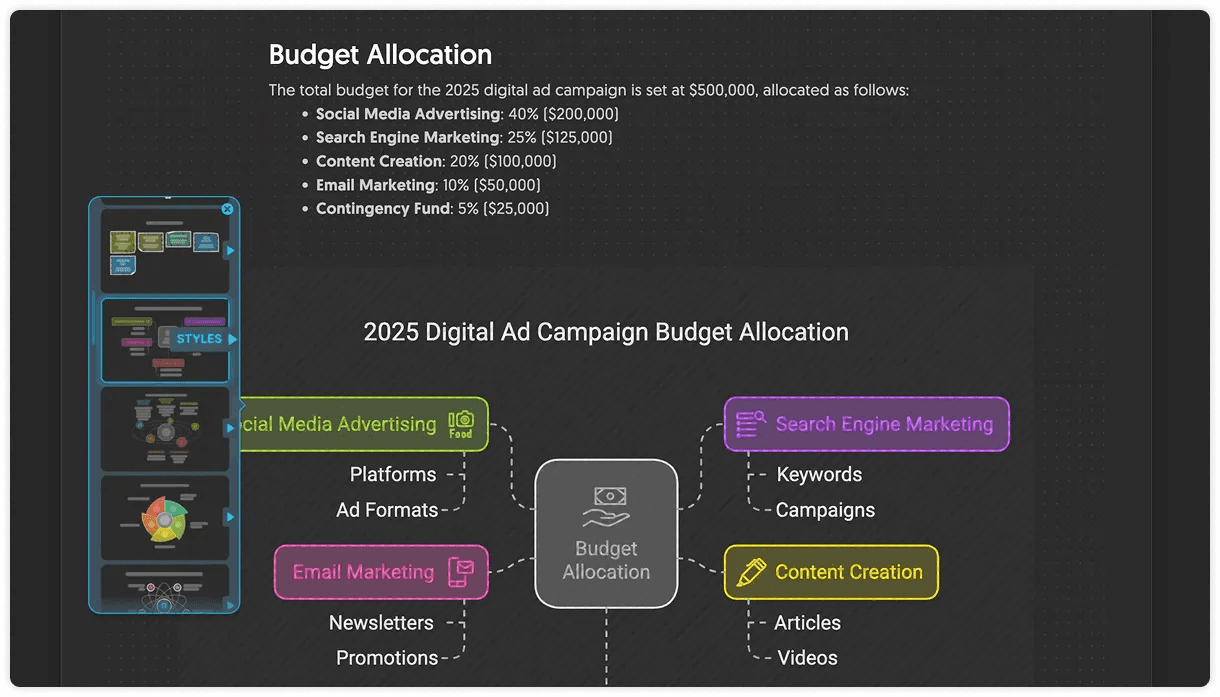
Generating presentation visuals in Napkin AI
AI audio tools
AI audio tools are transforming sonic branding, enabling advertisers to create immersive and memorable sound experiences. From AI voiceover ads to custom jingles, these tools help craft unique audio identities that enhance engagement and make ads more impactful.
ElevenLabs
ElevenLabs makes it effortless to create natural-sounding voiceovers, making it ideal for podcast ads, video dubbing, and conversational support in multiple languages.
With its advanced customization features, you can modify voices, tones, styles, and languages, allowing you to reach a global audience with ease. The Voiceover Studio lets you compose and edit multiple audio elements, like voices, sound effects, and more, all in one place.
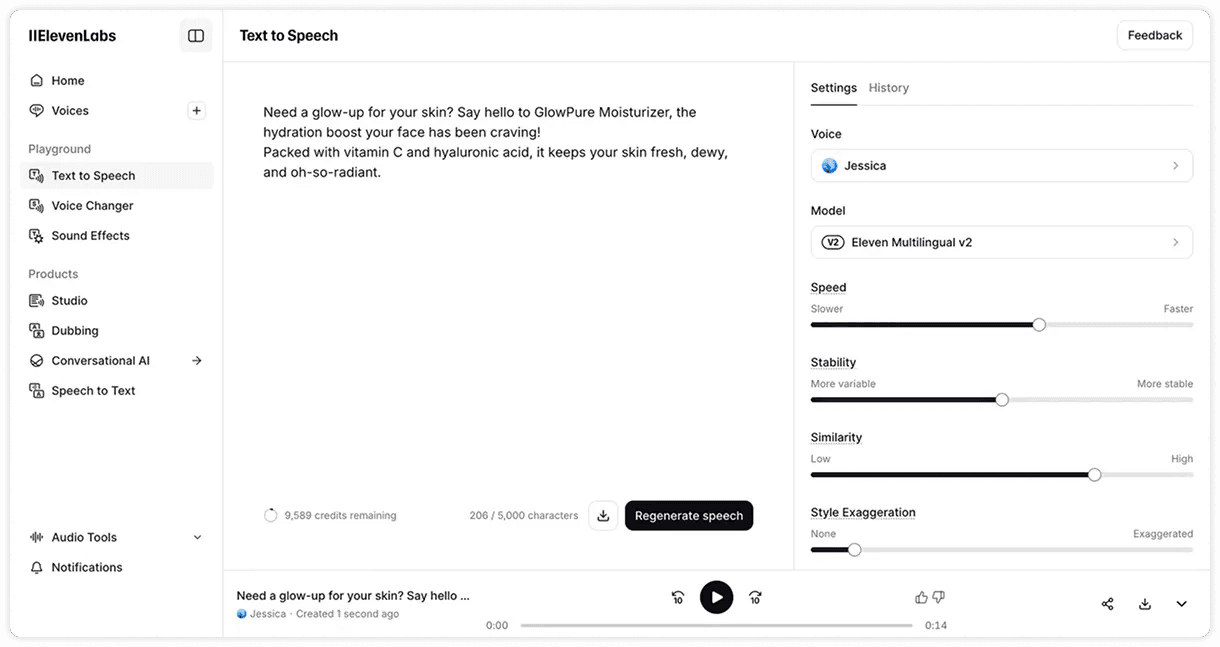
Text to speech generation in ElevenLabs
Suno
Suno lets you produce unique music pieces simply by describing the mood, genre, and instrumentation you’re after. From catchy jingles to bespoke soundtracks, it simplifies the audio generation process with an intuitive interface.
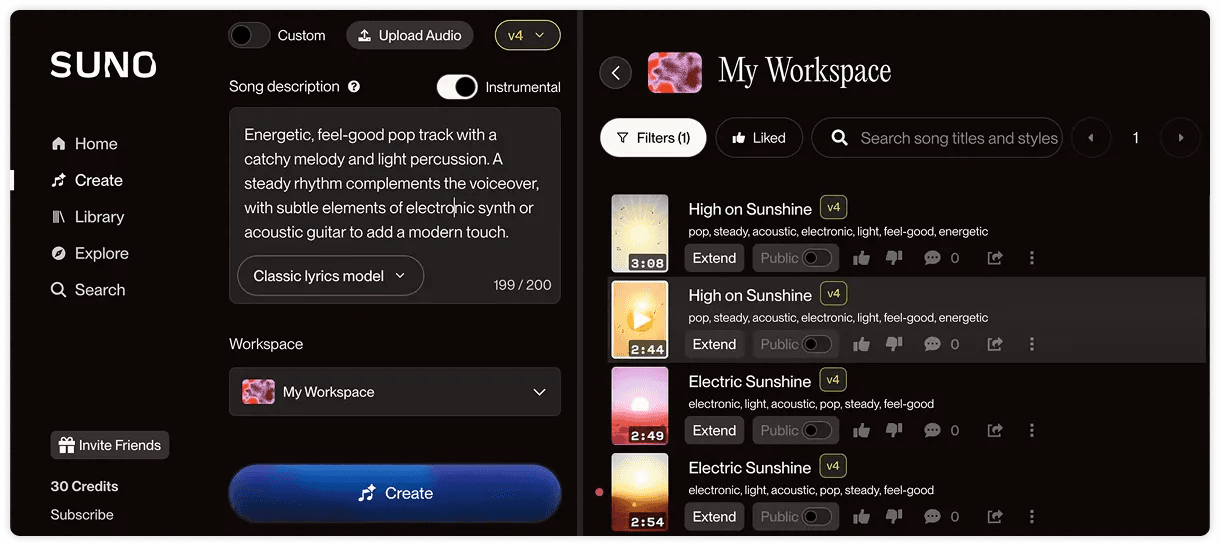
Generating music in Suno
AI video tools
The use of AI tools for video ads has exploded in recent times. From AI-powered editing and motion effects to virtual try-ons and image-to-video transformations, the advancements are making high-quality video production smarter, faster, and more accessible.
Veed
Veed is a user-friendly video editor packed with AI features, including automatic subtitle generation, transcription, AI avatars, voice dubbing, and text-to-video conversion. These features can enhance your videos and save time on manual editing. However, for more AI capabilities and watermark removal, upgrading to a paid plan will be necessary.
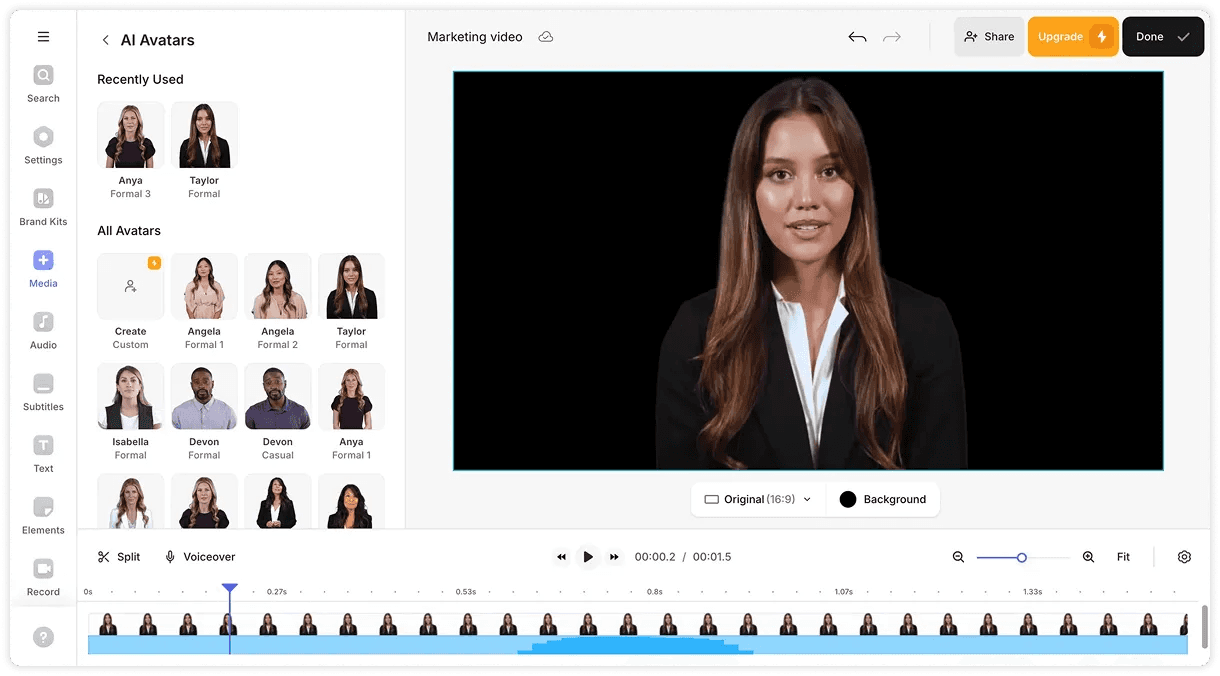
Veed AI video avatar review
Kling
Apart from just animating the images, Kling is pushing the AI image and video creation to the next level. With AI video generation using reference images, advertisers can maintain consistency and style across videos. For ecommerce brands, AI virtual try-ons combine models (custom or AI) with top and bottom clothing seamlessly.
These images can then be brought to life with AI video generation. The Motion Brush feature adds movement to specific areas of a video, though it may feel less intuitive compared to other tools. Elements merge multiple image components into a cohesive sequence, helping advertisers gain finer control over their ads and making them more engaging.
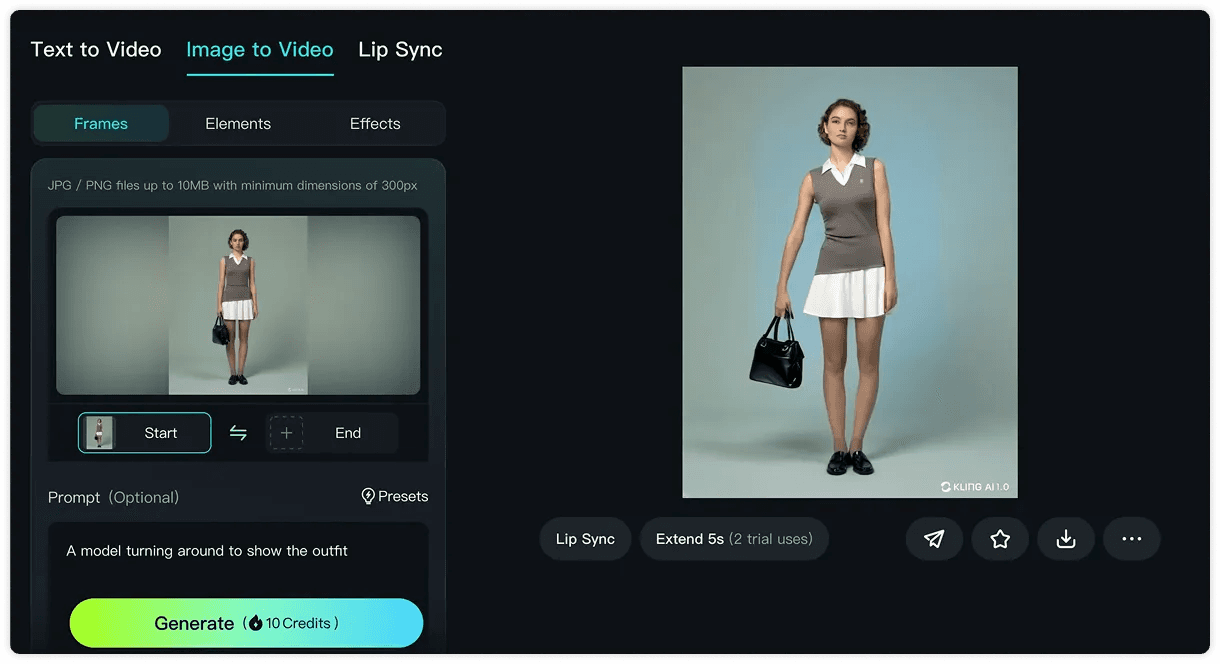
Video generation in Kling
Conclusion
From AI copywriting and image generation to video editing, these tools can help you create highly personalized and engaging ads in a fraction of the time. More creatives, tested faster, is what lifts ROAS. When every audience, placement, and language gets its own on-brand variation in minutes, you find winning ads sooner and spend less on the rest. By striking the right balance between automation and human creativity, you can explore new ways to engage your audience. Embrace AI and start creating ads that truly resonate and perform.
FAQs
What is the best free AI tool for ad creatives?
There is no single best tool; it depends on the asset. For ad copy, Claude and ChatGPT lead. For images, Recraft and Gemini. For the ad banners themselves, Sivi generates editable layered designs in your brand style without templates. The free plan includes 12 AI credits per month.
Can AI make Google display ads for free?
Yes. Sivi generates Google display ads in all standard IAB dimensions on its free plan, with your brand colors, fonts, and logo applied. Template tools like Canva also offer free plans but provide templates for fewer ad dimensions.
Are AI-generated ads any good?
They can be, but direction matters. NIQ research found most AI-generated ads feel annoying, boring, or confusing to consumers. The fix is a detailed brief with objective, audience, brand voice, key message, format, and call to action.
What is the difference between template-based and template-free AI design tools?
Template-based tools like Canva place your content into pre-made layouts, and wrappers like AdCreative AI and Predis assemble designs from fixed components. Both limit dimensions and brand fit. Template-free tools like Sivi generate the layout itself from your brief, so every design is original, on-brand, and fully editable.
Can I edit AI-generated ad designs?
Only if the tool creates layers. Image generators like Gemini and ChatGPT produce flat images you cannot edit directly. Sivi generates layered designs where every text block, image, and button stays editable.